When trading, entering the fund password is usually the final step. If you forget your fund password, you can reset it by following the instructions below.
How to Change or Reset Your Fund Password
Step 1: Log in to your account. Hover over the profile icon at the top right and go to the Security page.
Scroll down to Password Management - Fund Password, and click Change on the right.

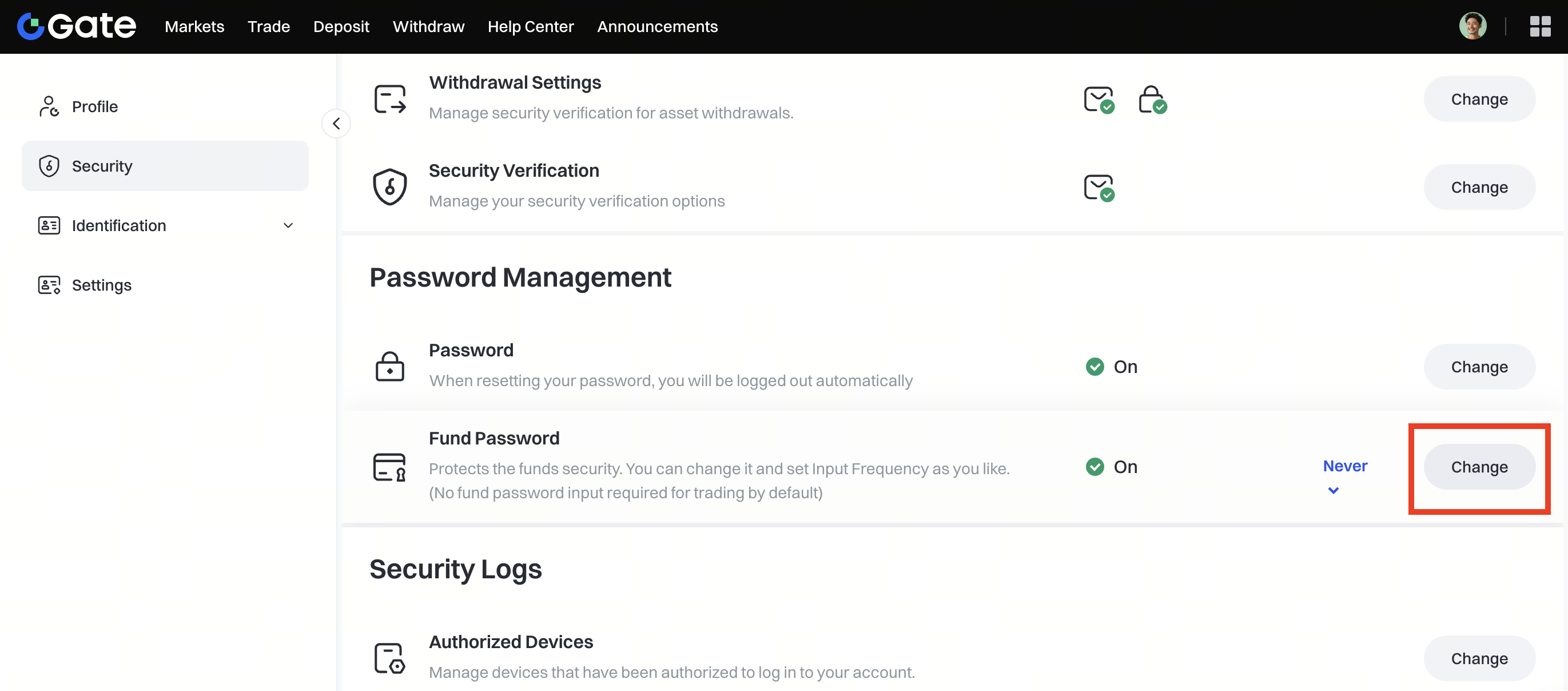
Enter the required information to update your fund password.

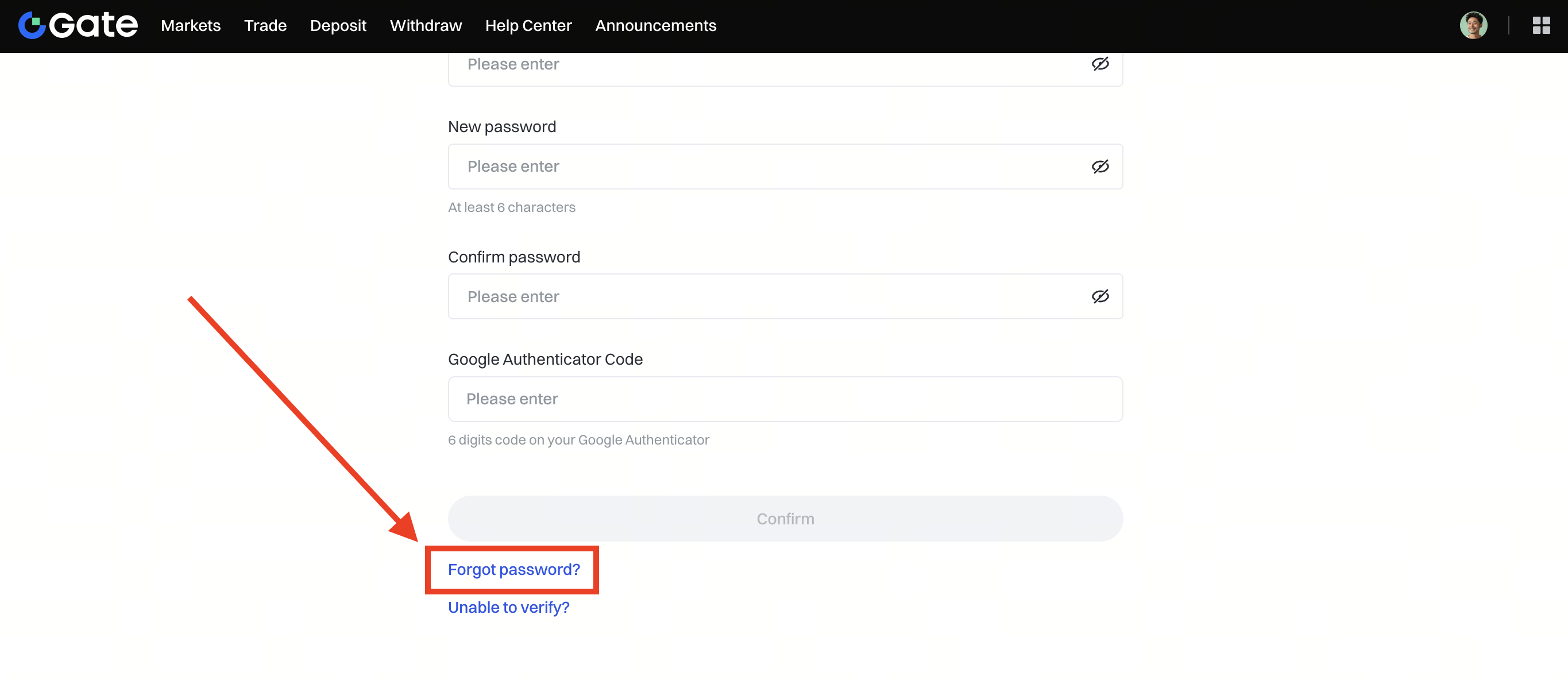
Step 2: If you forgot your old fund password, click Forgot Password? to reset it.
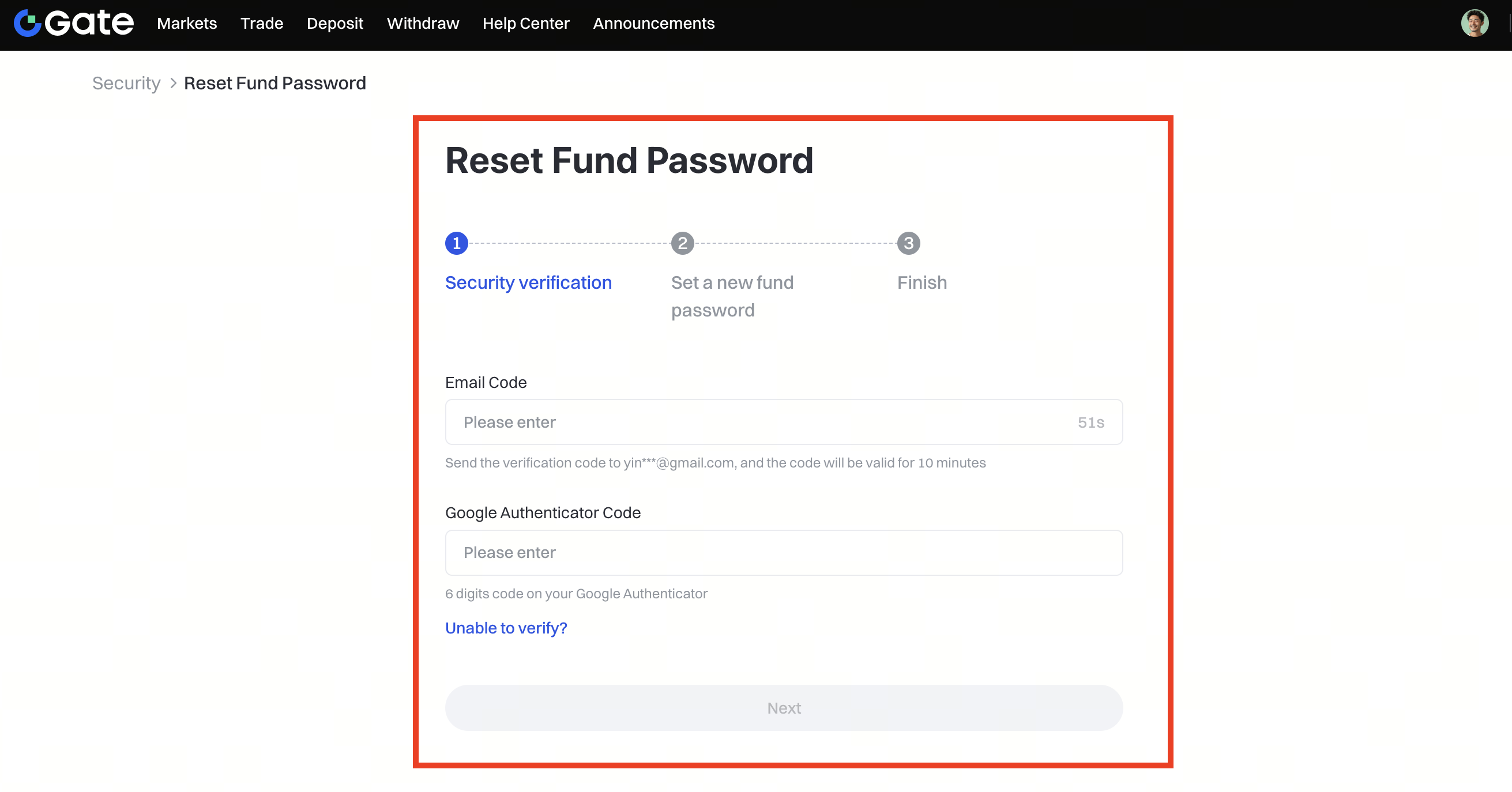
To reset your fund password, simply follow the on-screen instructions. Enter the verification code sent to your registered email and the 6-digit code from your Google Authenticator to complete the security verification. Once verified, set a new fund password and click Confirm to finish the process.
How to Set the Fund Password Input Frequency
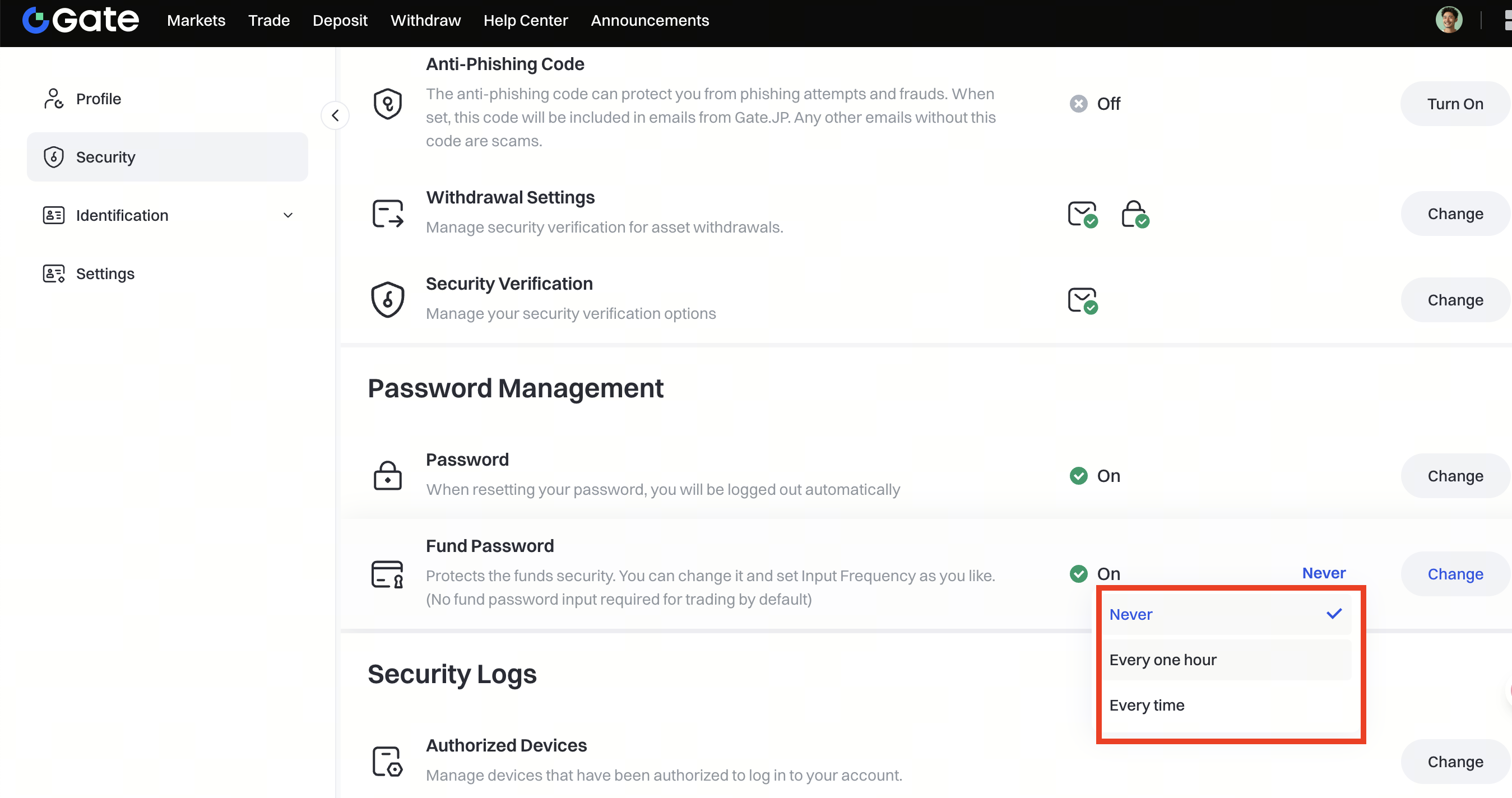
Step 1: On the Security page, scroll down to Password Management - Fund Password.
Step 2: Click the small triangle symbol next to Change to select the password input frequency - Every time, Once per hour, or Never.
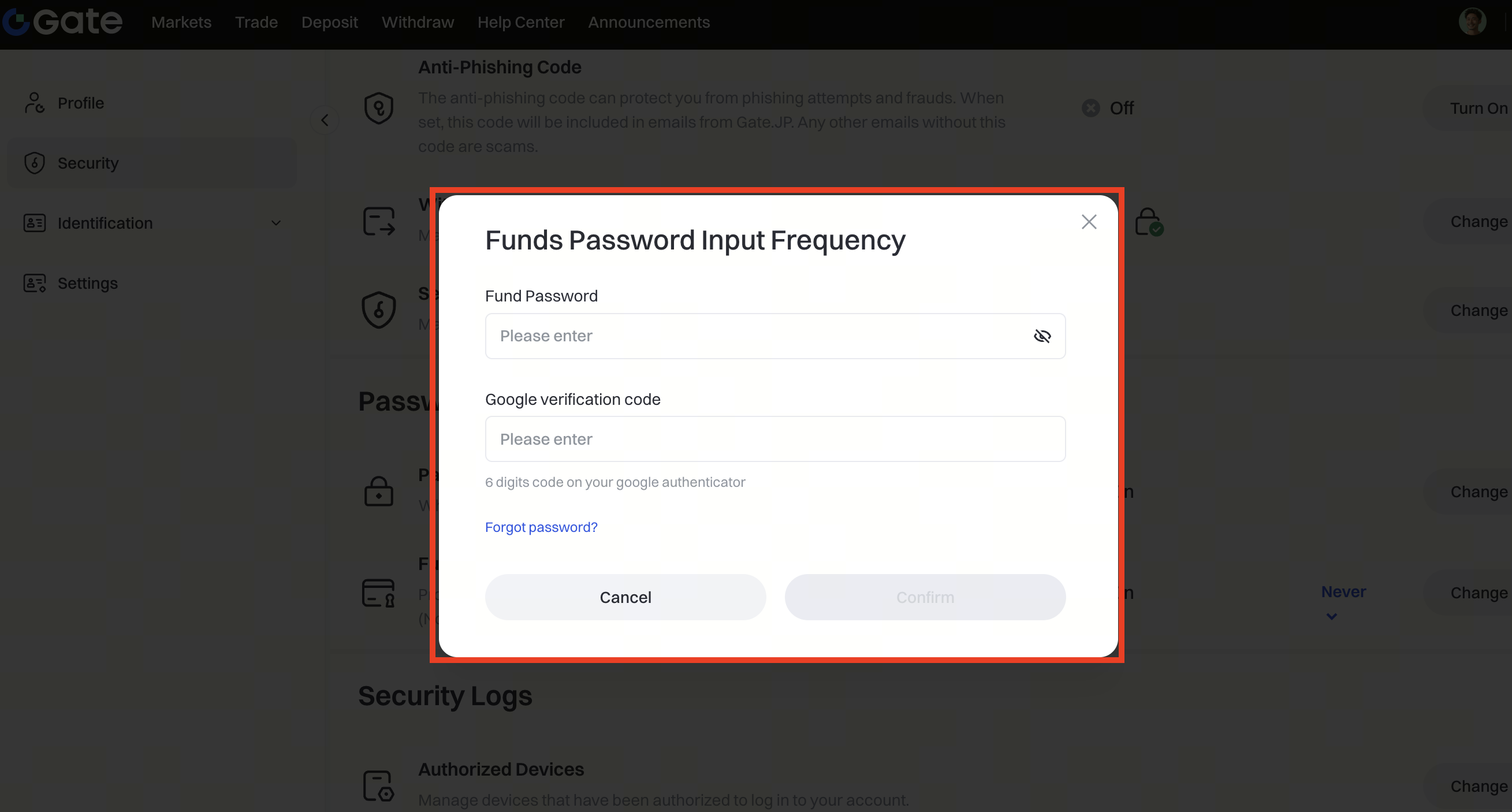
Step 3: Enter your Fund Password and the Verification code, then click Confirm to complete the update.