
Step 1: Add a Bank Account
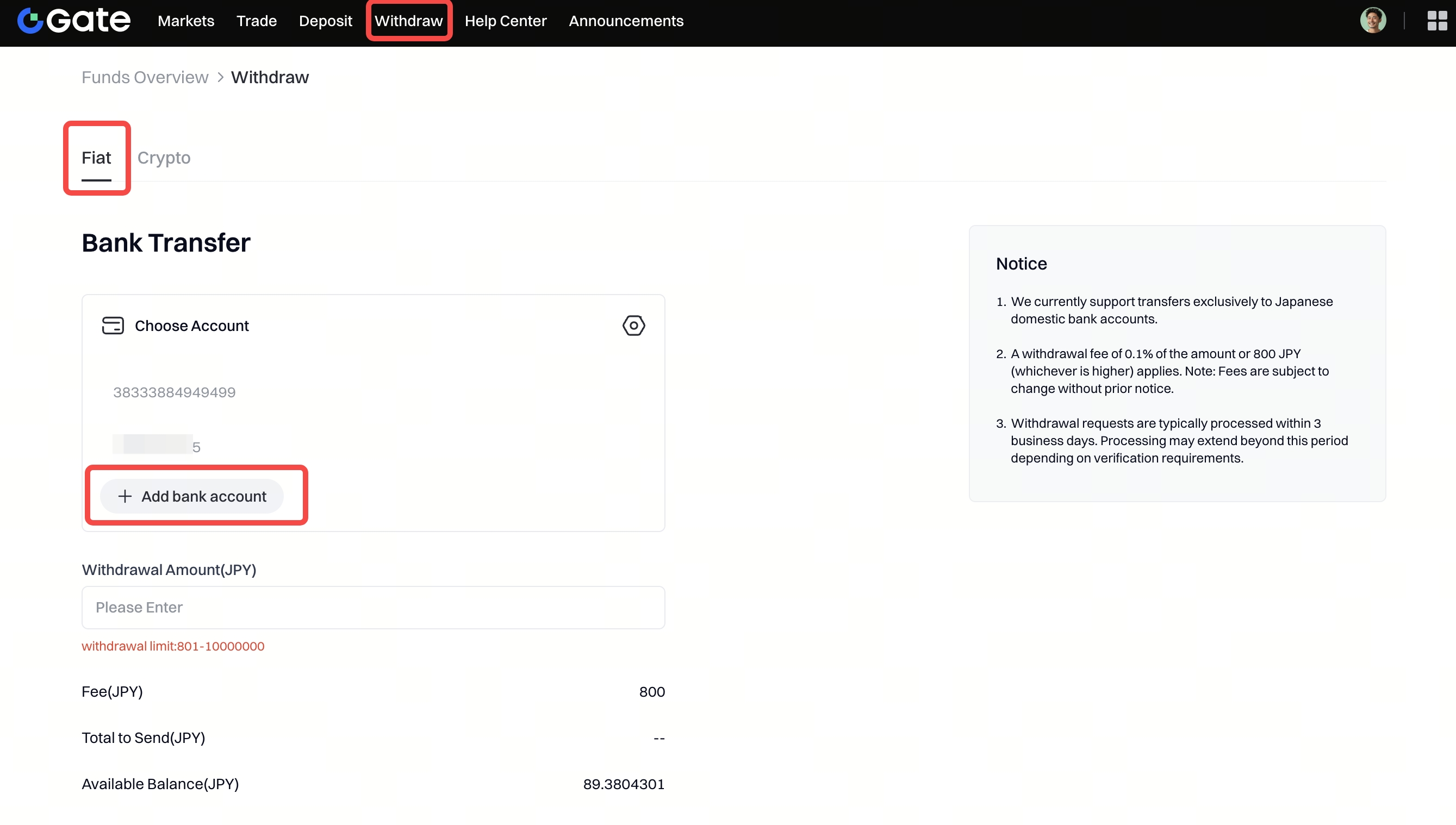
- Go to Withdraw - Fiat.
- Select your linked bank account; if you don’t have one yet or want to add another, click Add bank account.
- Select your Bank Name, Branch Name, and Account Type.
- Enter your Account Number.
- Click Add account to save.

Step 2: Enter Withdrawal Amount
- Select the bank account you added.
- Enter the Withdrawal Amount (JPY). Limit: 801–10,000,000 JPY
- The system will automatically calculate the Fee and Total to Send.

Step 3: Confirm Withdrawal
- Enter your Fund Password.
- Enter your Verification code.
- Click Confirm to submit the request.
Step 4: Check Withdrawal Records
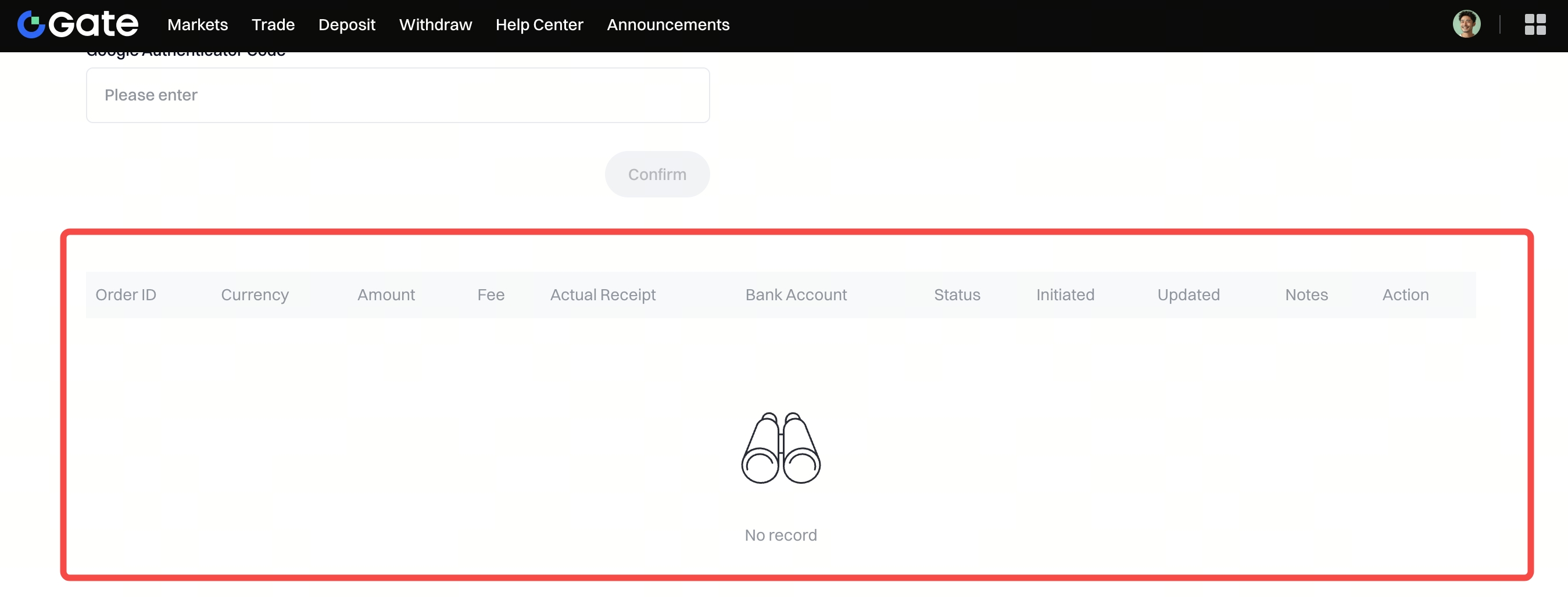
- Scroll down to the Records section.
- You can view details such as Order ID, Amount, Fee, Actual Receipt, Bank Account, Status, Initiated / Updated time, Action .
If you encounter any issues during the withdrawal process, please contact us at support@gateio.jp.
