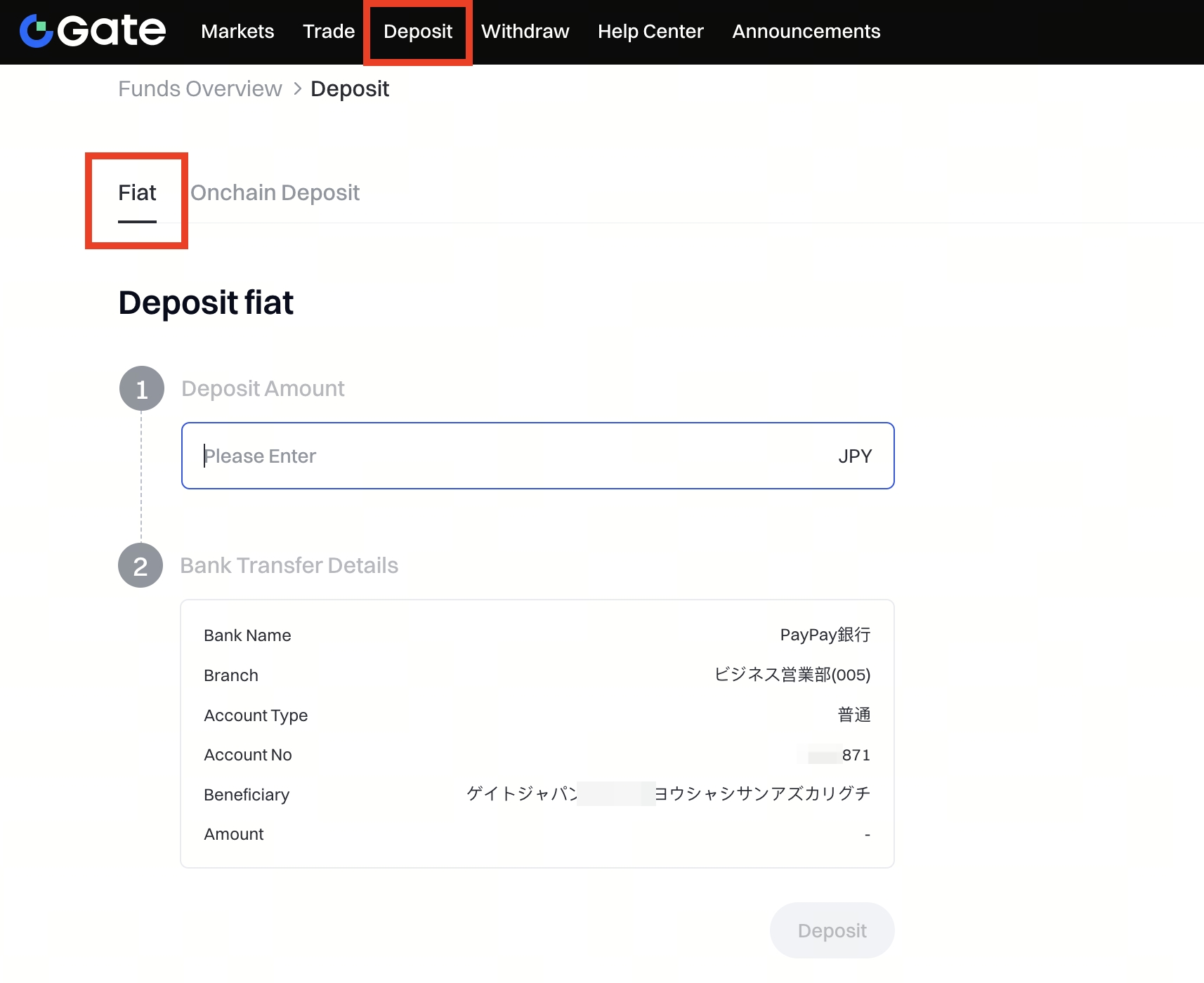
Step 1: Log in to your Gate account. Click Deposit on the top menu and select the Fiat tab.
Step 2: Enter the Deposit Amount in JPY, and your bank transfer details will be displayed automatically, including:
- Bank Name
- Branch
- Account Type
- Account No
- Beneficiary
- Amount
Please make sure to transfer the exact amount from your registered bank account and include the Memo code provided.
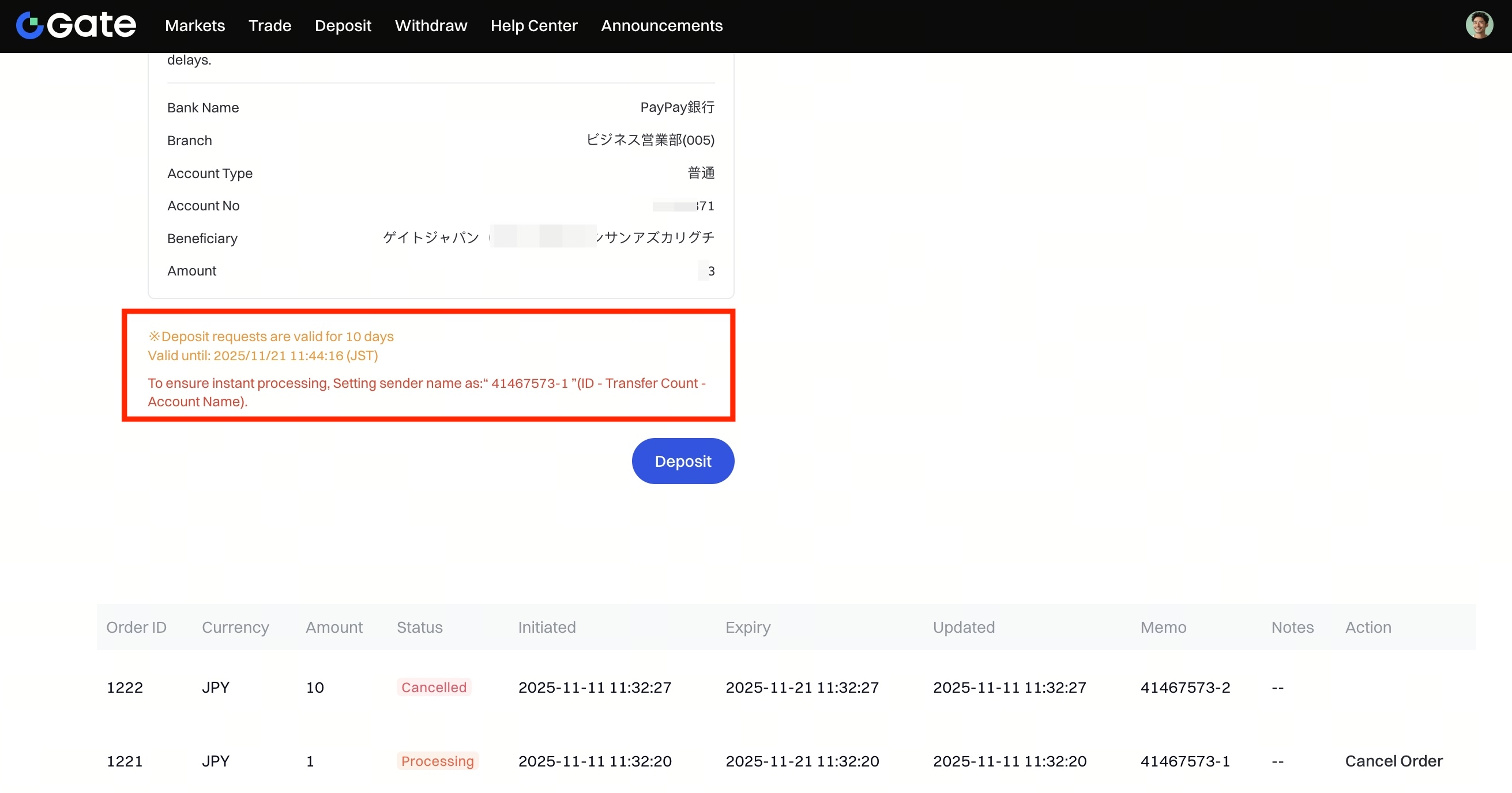
The Memo code and validity period will be shown under the transfer details.
Note: Deposit requests are valid for 10 days.
To ensure instant processing, set your sender name as:
“41467573-1” (ID - Transfer Count - Account Name)
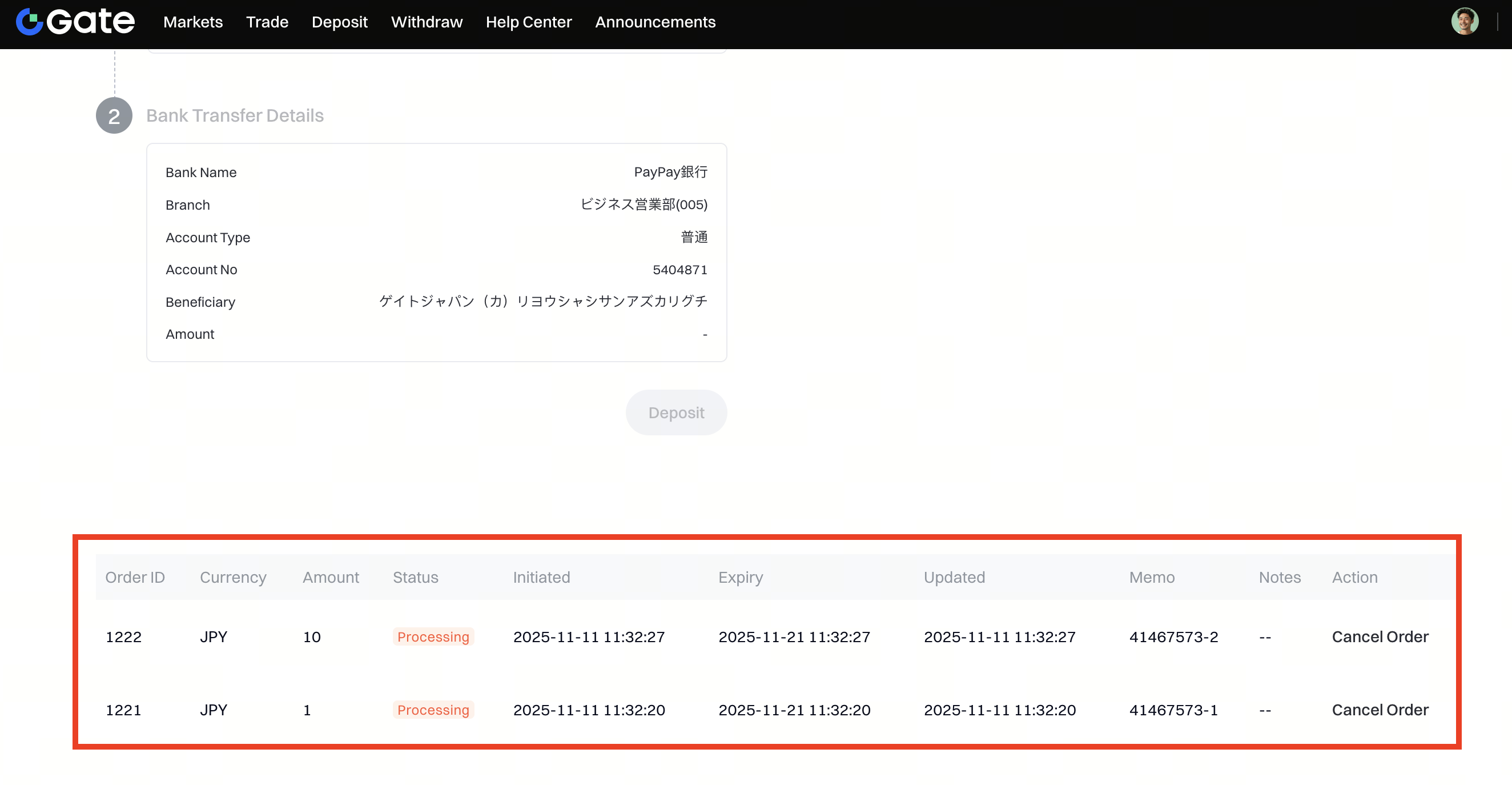
Step 3: After submitting your deposit request, you can check your order under the list below.
The Memo and Expiry details are also displayed.
Each deposit request is valid for 10 days.
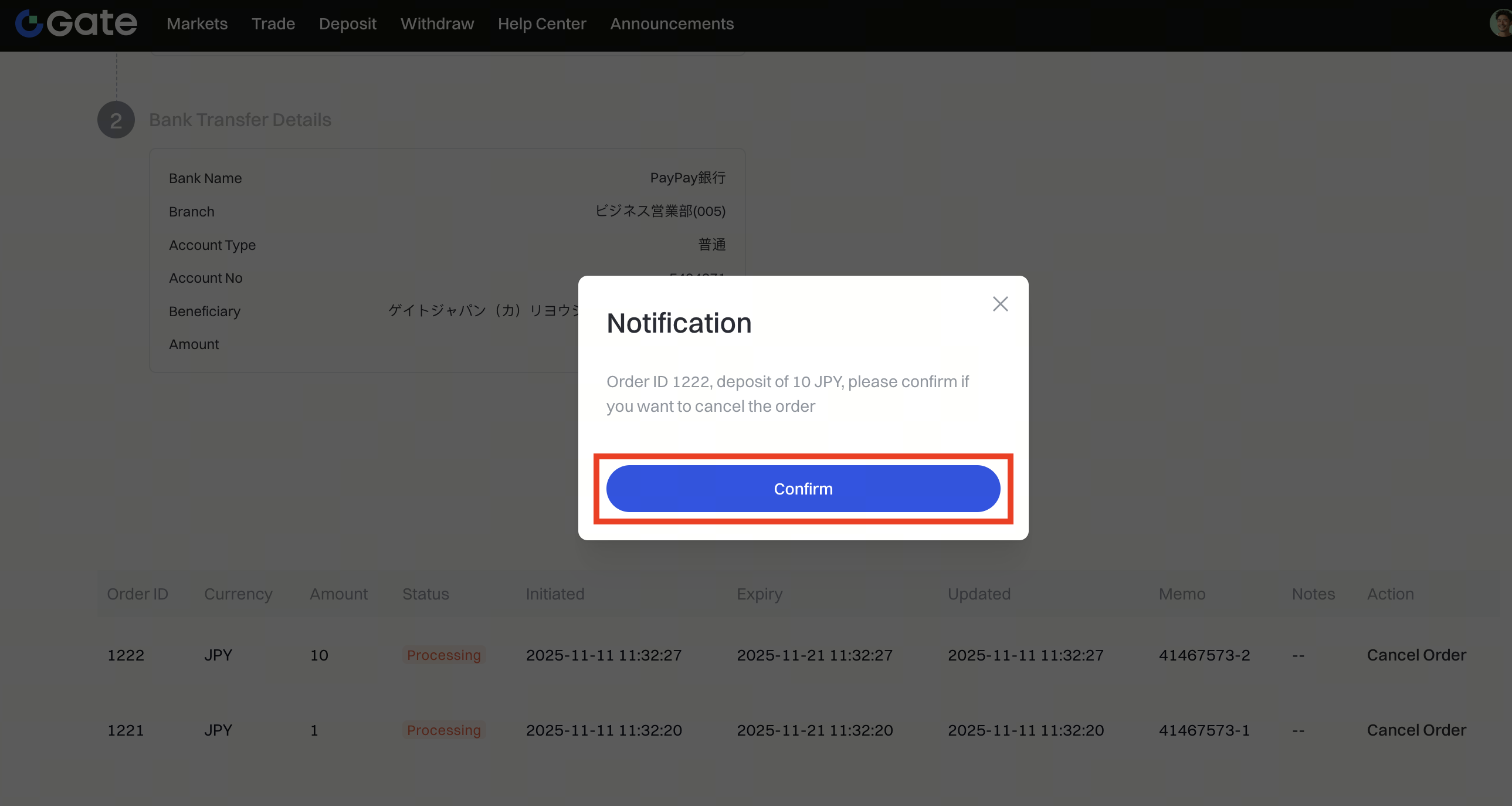
Step 4: To cancel a pending deposit order, click Cancel Order in the Action column, then confirm the cancellation by clicking Confirm in the pop-up window.