
Deposit Fund on Gate
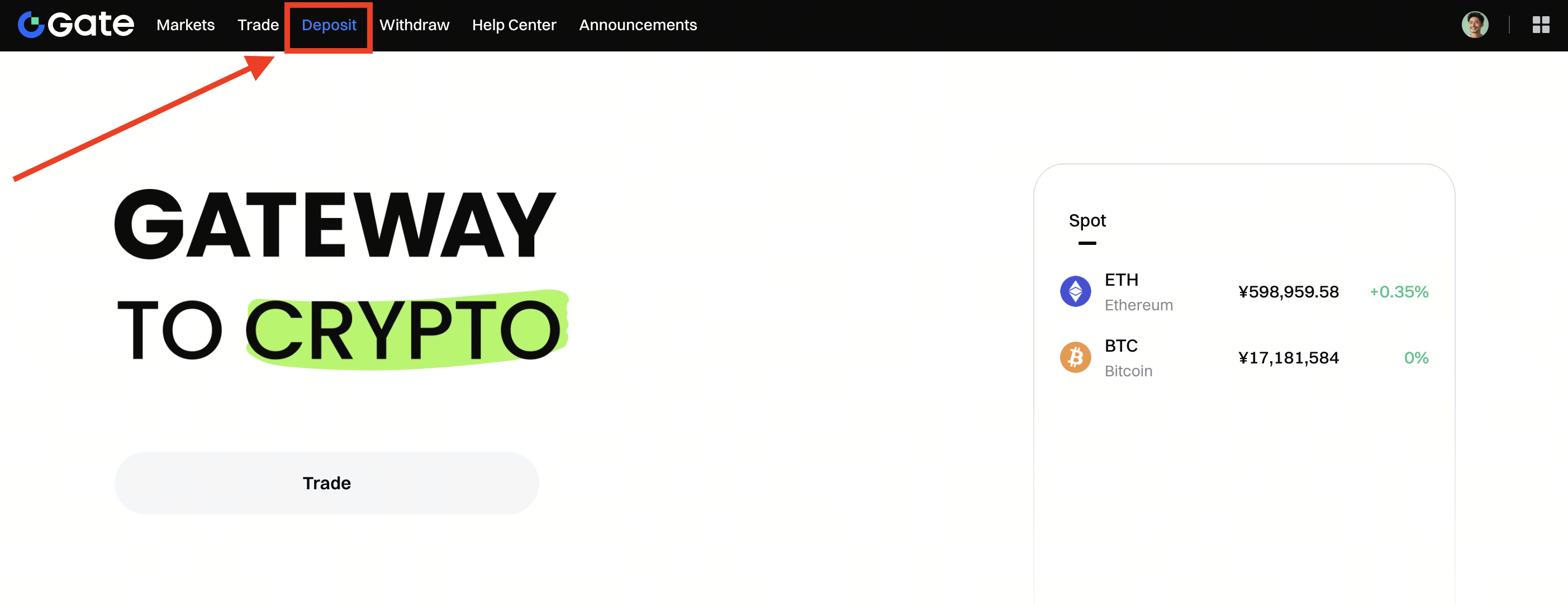
Step 1: Log in to your Gate account. Click Deposit on the top menu, then select Onchain Deposit.
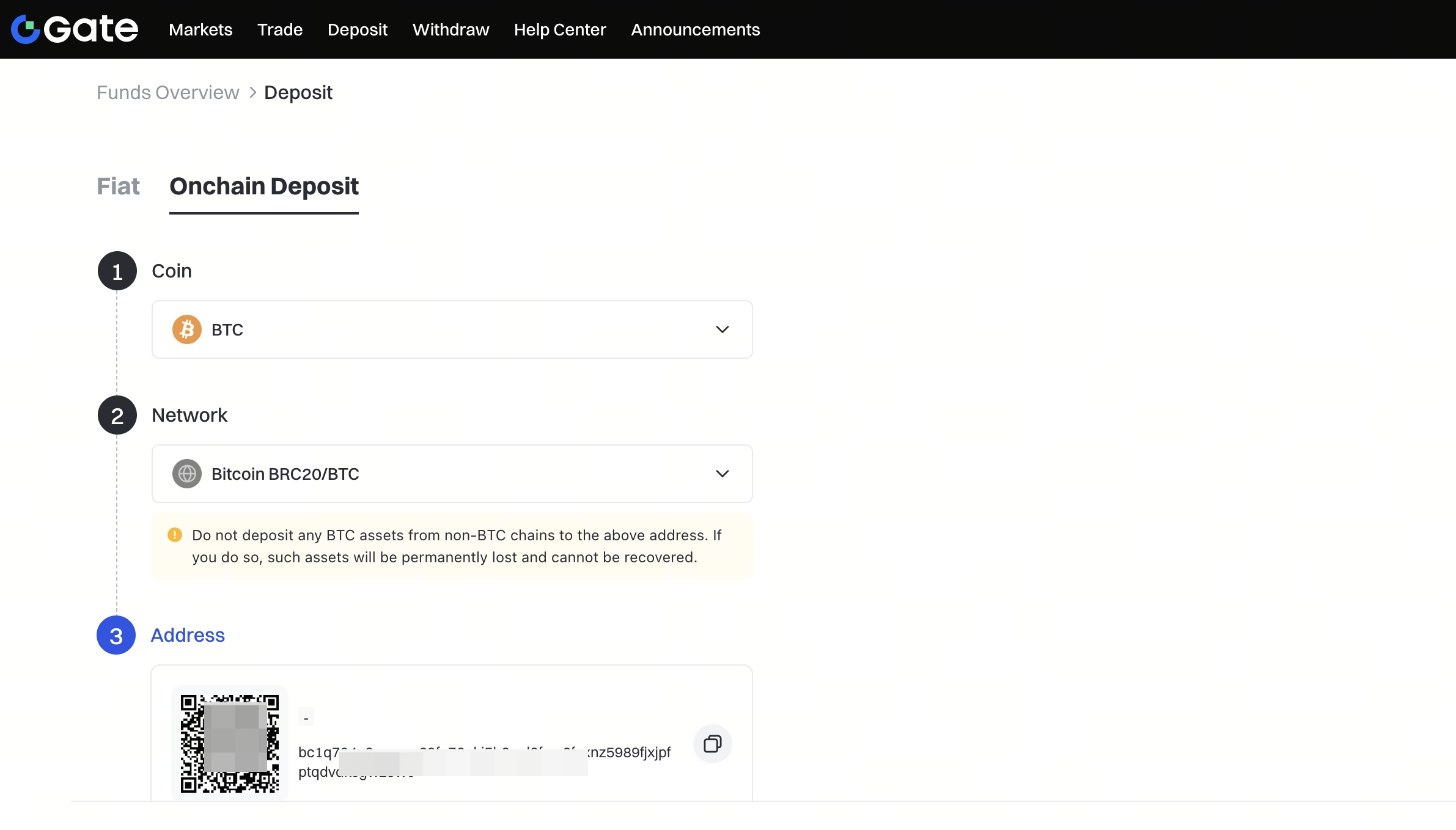
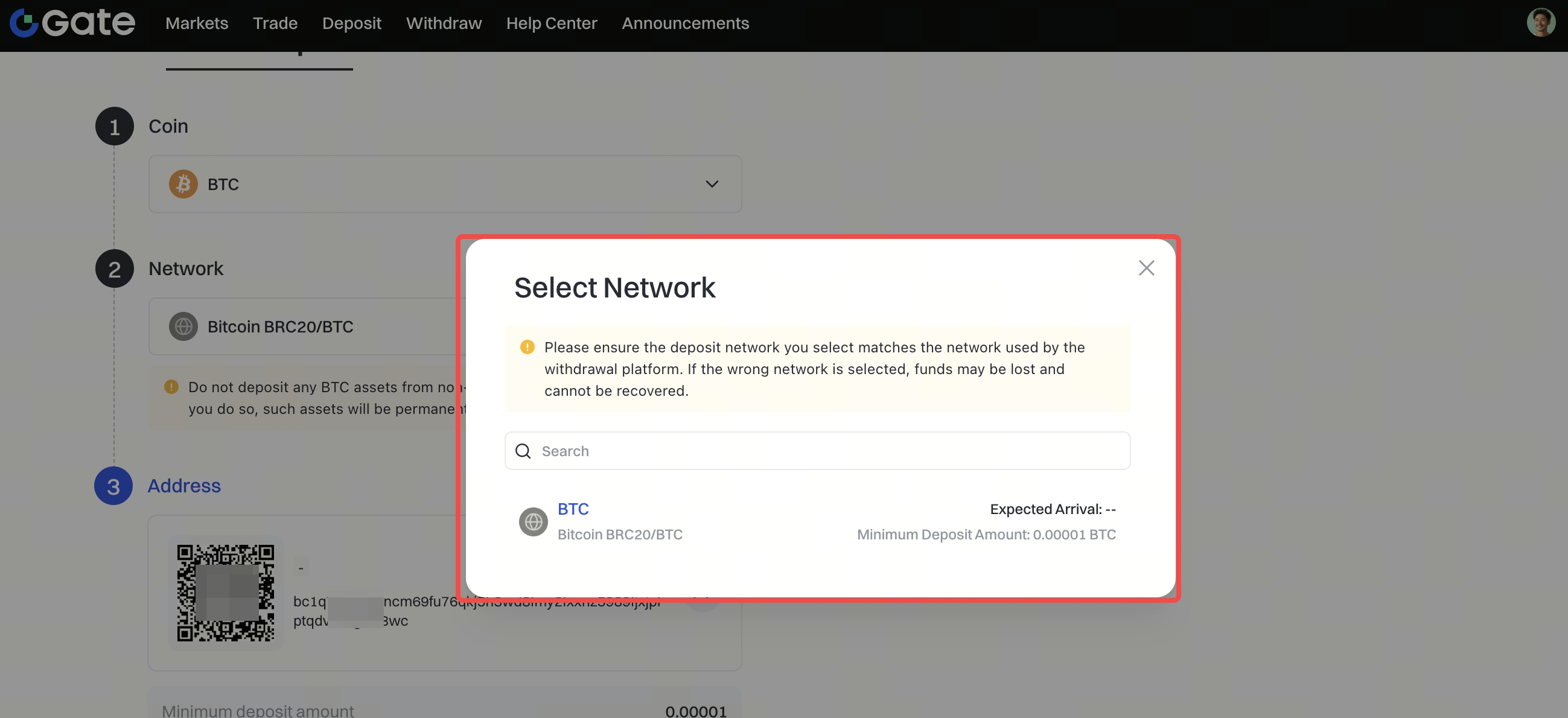
Step 2: Select the coin you want to deposit from the Coin menu, and select the specific Network. Copy the deposit Address or scan/save the QR code.
 Step 3: Paste the deposit Address or scan the QR code on the platform you are withdrawing from.
